Introduction
The sociables tab will let you create social icons to display in your header. You can use our preset icons or upload your own.

Adding new sociables
The sociable icons will be different depending on which theme you are using but they will generally display somewhere in the header.
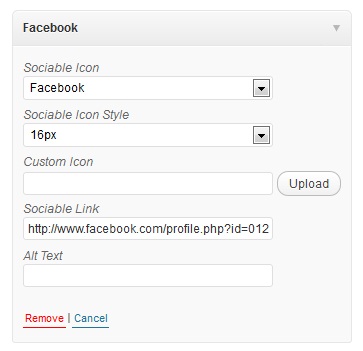
To get started click on the “add sociable” button and you can fill out the information. We provide some default icons for you to use (they will differ by theme) or you can upload your own icon with the upload button.
Make sure to set the sociable link! In the image we want to send the visitor to our facebook profile when they click on the facebook icon so we would just copy the URL to our facebook profile.